
Accessibility Overlay vs Manual Remediation
Two very different answers to the same problem. One changes how your site looks. The other changes what it is. Here is how they compare against the standard Title II actually requires.
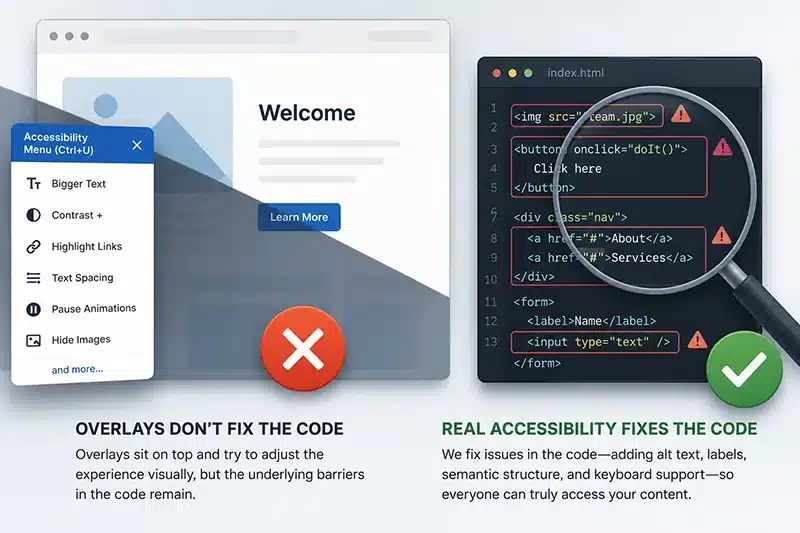

An accessibility overlay does not make a website WCAG conformant, and it does not satisfy ADA Title II. Overlays adjust the appearance of a page from the outside and leave the underlying barriers in place. Manual remediation fixes the issues in the source code, which is what produces conformance and gives you a defensible record. If you have a Title II deadline, manual remediation is the option that actually gets you there.
What Each Approach Actually Is
An overlay is a widget you add to your site with a single line of JavaScript. It loads a toolbar that lets a visitor change text size, colors, and spacing, and it tries to patch some issues automatically as the page loads. The promise is compliance in one step.
Manual remediation is a person fixing the actual problems in your code. A specialist tests the site the way a resident using assistive technology would, finds the barriers, and a developer corrects the markup, the components, the forms, and the documents so they work. The result is a site that meets the standard, with proof that it does.

Overlay Comparison Table
|
Accessibility Overlay |
Manual Remediation |
|
|---|---|---|
|
How it works |
A JavaScript widget adjusts the page from the outside as it loads |
A developer fixes the issues in your source code, tested by a specialist |
|
What it changes |
The appearance: text size, color, contrast, spacing |
The underlying HTML, ARIA, components, forms, and documents |
|
WCAG 2.1 AA conformance |
No. Barriers in the code remain |
Yes. Issues are fixed against each success criterion |
|
Satisfies ADA Title II |
No |
Yes, and you get documentation to show it |
|
Screen reader and keyboard experience |
Often worse. The widget can interrupt the assistive technology already in use |
Works as intended, tested with JAWS, NVDA, VoiceOver, and keyboard |
|
PDFs and documents |
Not covered at all |
Remediated directly, tags and reading order fixed |
|
Legal track record |
A rising share of accessibility lawsuits target sites with an overlay |
Produces the defensible record used to answer a complaint |
|
Time to real compliance |
Never, on its own |
Weeks to months depending on site size |
|
Best for |
Nothing that has to meet Title II |
Any government or higher-ed site with a compliance obligation |


Why Overlays Fall Short
The core problem is simple. An overlay sits on top of your site and never changes the code underneath, so the barriers a screen reader or keyboard user hits are still there. In many cases the widget adds new ones by taking over controls the visitor’s own assistive technology was already handling.
Regulators have caught up to the marketing. In 2025, the Federal Trade Commission ordered accessiBe, one of the largest overlay vendors, to pay $1 million for deceptively claiming its AI product could make a website compliant. According to UsableNet, a significant and growing share of digital accessibility lawsuits now target sites that have an overlay installed, which means the tool sold as protection is drawing the opposite result.
What Manual Remediation Actually Does
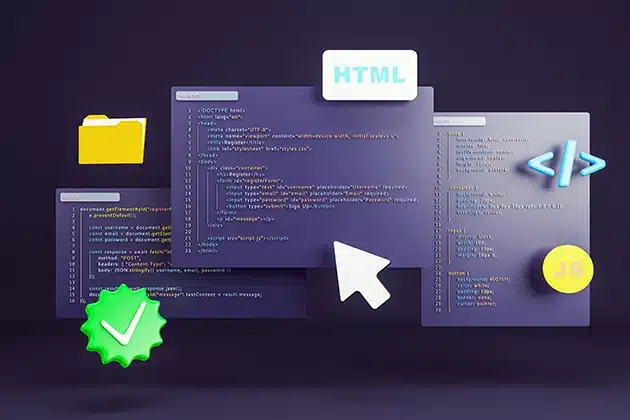
Manual remediation starts with a real audit, then fixes what the audit finds: semantic structure and headings, ARIA and interactive components, keyboard operation and focus order, color and contrast, and forms with proper labels and error handling. Every fix is re-tested against the specific criterion it failed, and you receive documentation that the issue is resolved. That record is what you hand to leadership, a funder, or the Office for Civil Rights.
The One Thing Overlays Cannot Touch: Your Documents
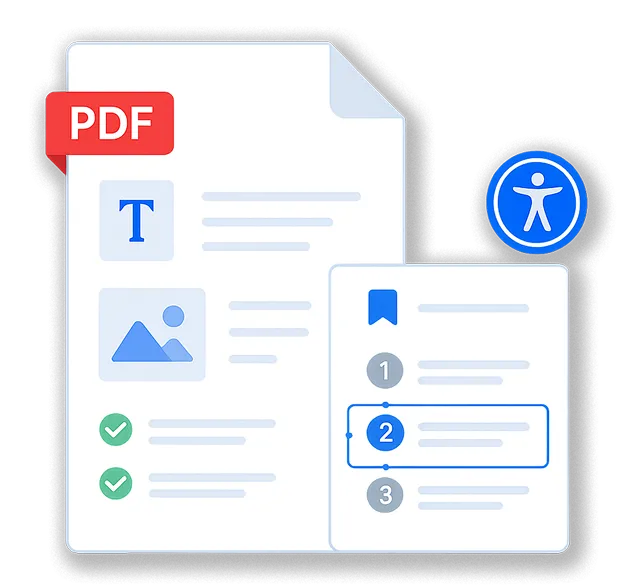
Government and higher-ed sites carry their largest volume of inaccessible content in PDFs: agendas, board packets, minutes, and forms. An overlay does nothing for a PDF. Manual remediation fixes the documents themselves, tags, reading order, and form fields included, which for most public entities is where the real compliance gap lives.

Our Take
We do not sell overlays. We never have. Blue Atlas fixes accessibility in the source code, including the PDFs and forms, and we back the work with a manual audit and re-testing so you can prove conformance. If a vendor is offering you a widget and calling it compliance, the FTC and a growing body of case law have already weighed in. For a government site with a real deadline, manual remediation is the option that holds up.
Frequently Asked Questions
Are overlays ever useful?
A visitor-facing toolbar for adjusting text size or contrast can be a minor convenience, but it does not create conformance or satisfy Title II, and it should never be relied on for compliance.
Isn’t an overlay cheaper?
It looks cheaper up front, but it leaves you non-compliant and exposed, and the rising litigation against overlay users has its own cost. Manual remediation is the spend that actually resolves the obligation.
We already installed an overlay. What now?
Keep or remove it as you like, but treat your site as unremediated. Start with an audit to find the real issues, then remediate the code. We can scope that quickly.
Does the DOJ allow overlays?
The Title II rule requires WCAG 2.1 AA conformance. It does not endorse overlays, and an overlay does not produce that conformance, so it does not meet the rule.


Fix it at the source
Start with a free scan to see where your site stands, then talk with our team about remediating the issues in the code, the way that actually meets Title II.